

Modify or Cancel Your Subscription
Modify Your Plan
If you need to change your credit limit or adjust your tier to better fit your budget, you can do so through the dashboard.
-
Log in to the Tatum Dashboard.
-
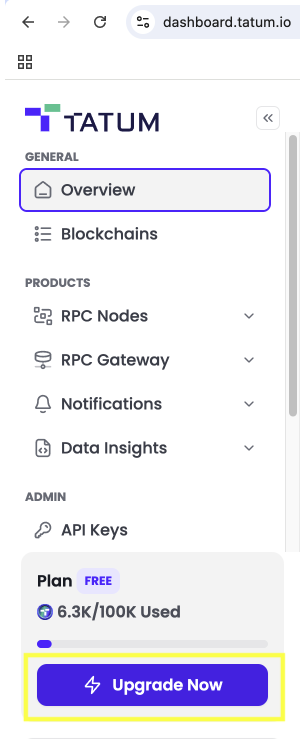
Click on Upgrade Now and select the new plan you would like to have:
a. Choose your credit volume: Use the interactive slider to select exactly how many credits you need—ranging from 4M (Starter) all the way up to 400M+ (Business). There is also a Free tier with 100,000 credits to let you explore the platform first.
b. Choose your billing frequency:
Decided how often you want to pay. You can opt for Monthly billing, or commit to a longer term and unlock significant discounts:
- Yearly billing (saves you 40%)
- 2 Years billing (saves you 50%)
It’s completely up to you—adjust the scale, pick your payment rhythm, and get the plan for your project.
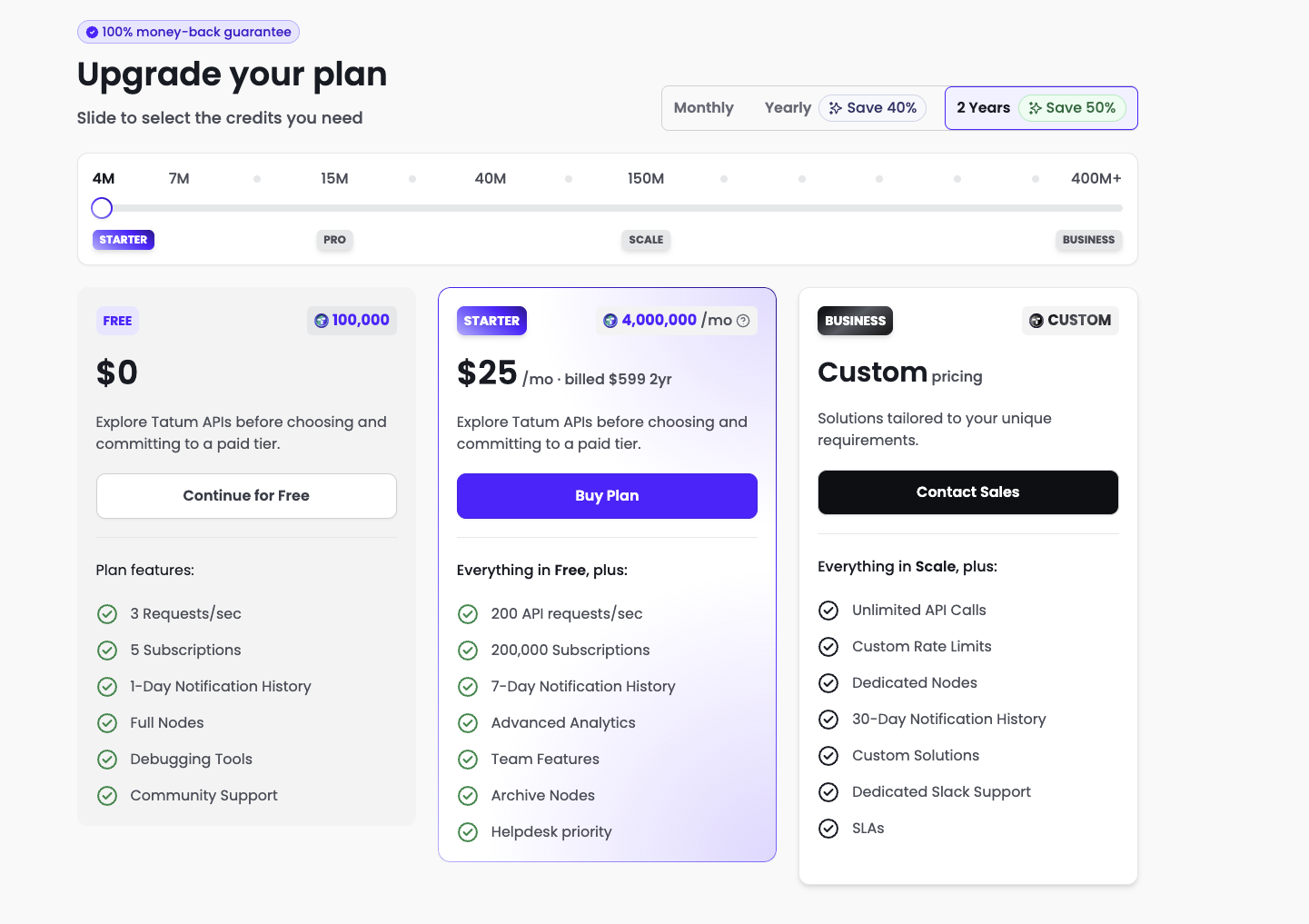
- Your plan will be changed at the end of your billing period.
Cancel You Plan or Check More Billing Information
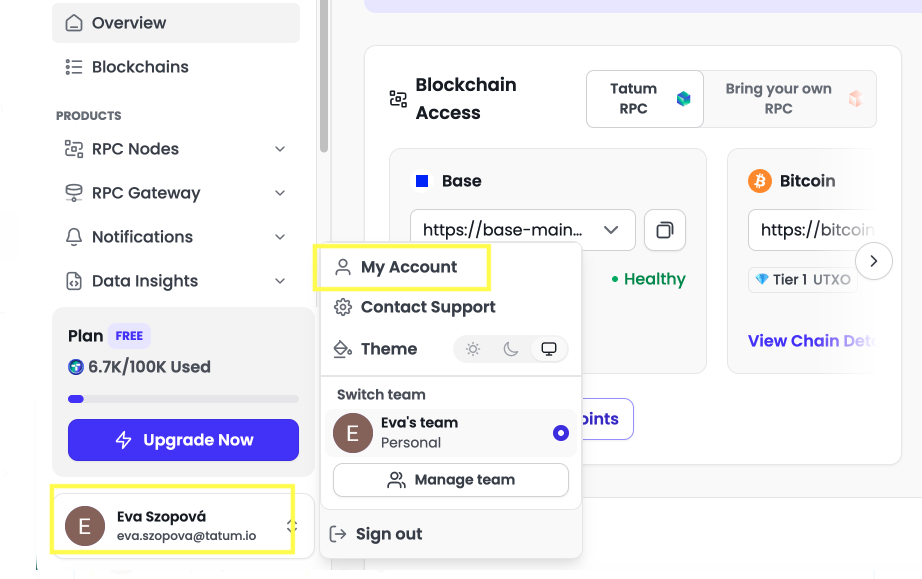
- In Tatum Dashboard go to your Account.
- Click on Manage Subscription:
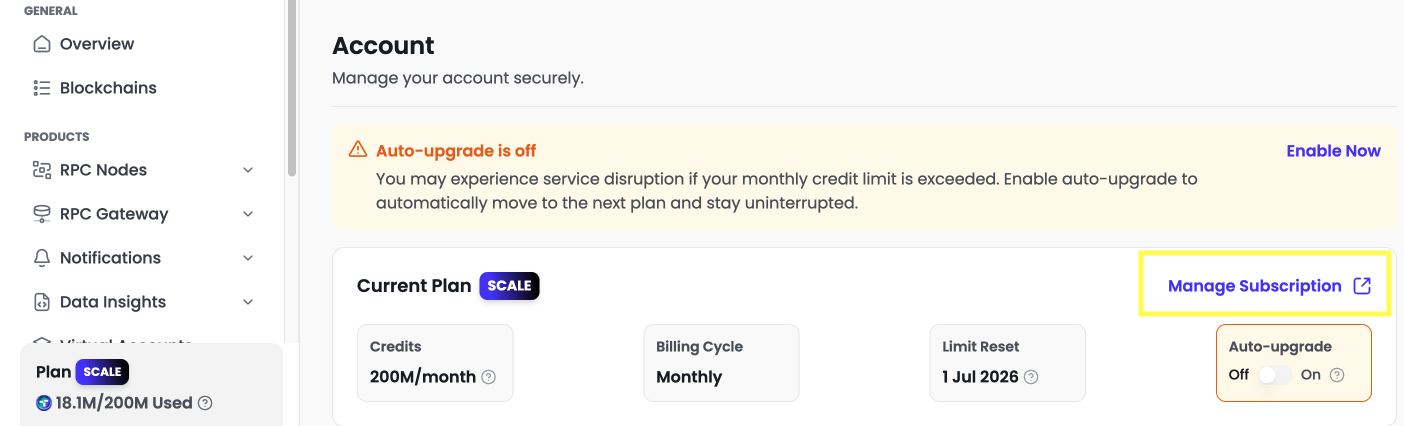
You will end up in Stripe dashboard, where you can see:
- Next billing date
- Cancel subscription option: Terminate your recurring billing.
- Payment Methods: Add or update your credit card details.
- Billing Information: Update your billing email or address.
- Invoices: Review and download your billing history (scroll to the bottom).
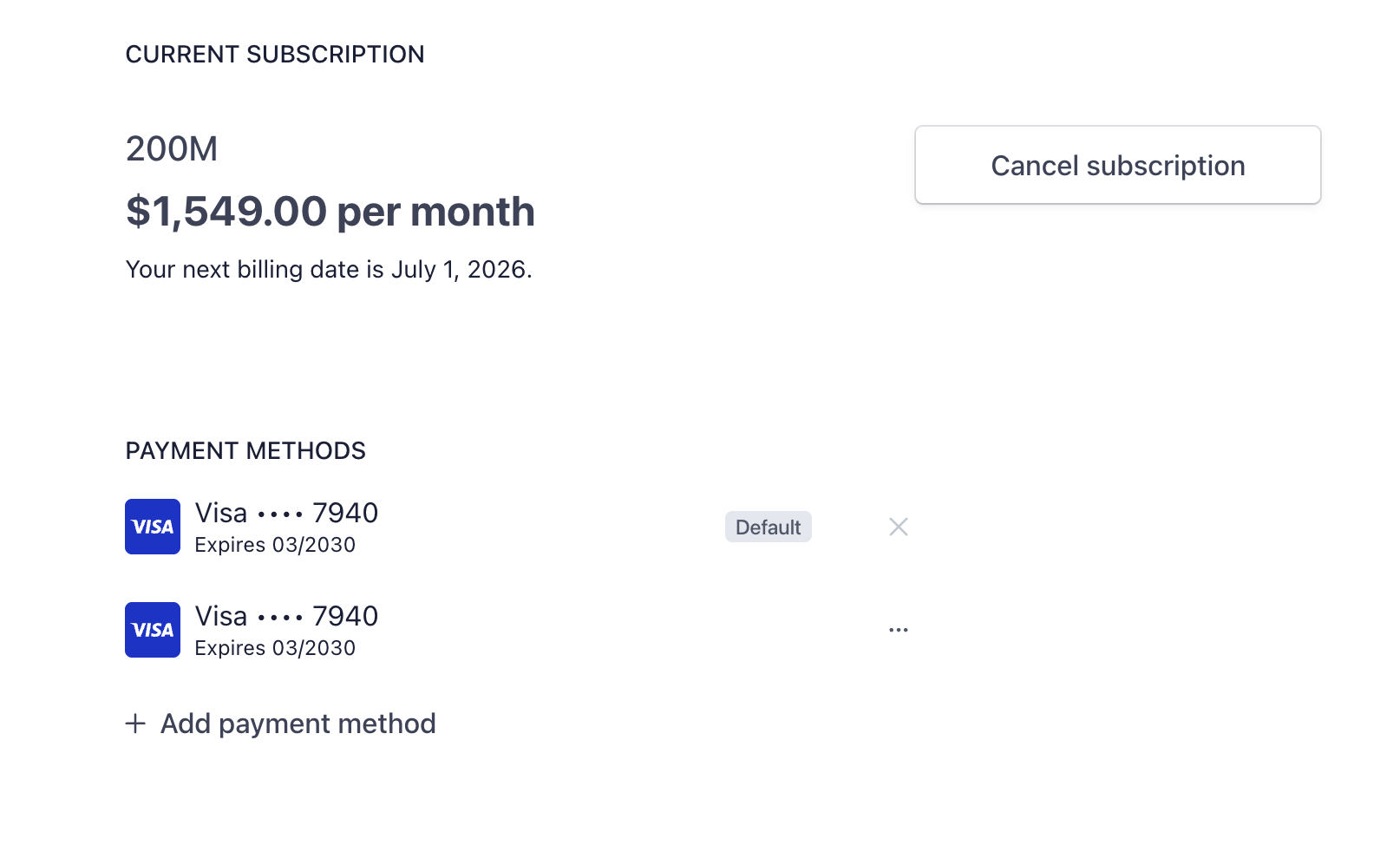
Note on Changes
- Downgrades: Changes typically take effect at the start of your next billing cycle.
- Cancellations: Your plan remains active until the end of the current billing period. You will retain access to all features until that date.
Update Billing Email or Information
If you need to change the email address where your invoices are sent or update your company address:
- Log in to the Tatum Dashboard.
- Navigate to Manage Subscription.
- Once the Stripe dashboard opens, scroll down to the Billing Information section.
- Click Update Information.
- Update your Email address or other billing details and click Save.
Refunds & Money-Back Guarantee
Tatum offers a 100% money-back guarantee for eligible purchases under the following conditions:
- Timeframe: Request must be made within 15 calendar days of the original purchase.
- Usage Threshold: Available only if less than 50% of the purchased monthly credits or API quota has been used.
- Service Eligibility: Applies to self-service plans purchased via Tatum.io. Does not apply to custom Business contracts or off-platform agreements.
- Service Issues: For claims regarding uptime or latency, we may request logs or supporting evidence.
- Legacy Plans: Refunds are not available for archived or discontinued pricing plans.
Important Billing Information
- Advance Billing: Subscriptions are charged in advance on the day you sign up.
- Refund Policy: Canceling a subscription does not automatically trigger a refund unless the specific conditions above are met.
- No Partial Refunds: We do not provide partial refunds or pro-rated credits for the remaining days of an active billing cycle.
- Full Terms: For more details, see our Terms of Use.